
ProductAvailable now · trial on request

Know what you have.
Know where it can go.

vHyperTrace is a read-only appliance that reads your VMware estate and hands you a modernization plan you can defend: hardware validated to component level, fourteen upgrade and migration routes scored, a schedule, runbooks and the reports.

No agentsNo internetNever phones homeRead-only
What you get

Documents written for the people who act on them.

A reading of the estate ends in documents, each written for one reader. Every one of them says which reading and which reference data it was based on, so anyone can check it later.

Sponsor

Executive Brief

The options, what stands in the way of each, the effort and the risk, for the people who approve the work. HTML, Word or PowerPoint.

Programme manager

Delivery Plan

The workstreams, the checkpoints, what depends on what, and the schedule. Exports to MS Project for the programme office.

Administrators

Transformation Runbook

The chosen path as ordered steps, with what has to be fixed before each one. You can adapt it to your own change process.

Everyone

Readiness scorecard

Every route scored: ready, caution, needs data, fix required. With the evidence behind each verdict.

Workstreams scored14
Routes off VMware9
Agents installed0
Outbound connections0
Largest size5,000+ VMs

Behind the three documents

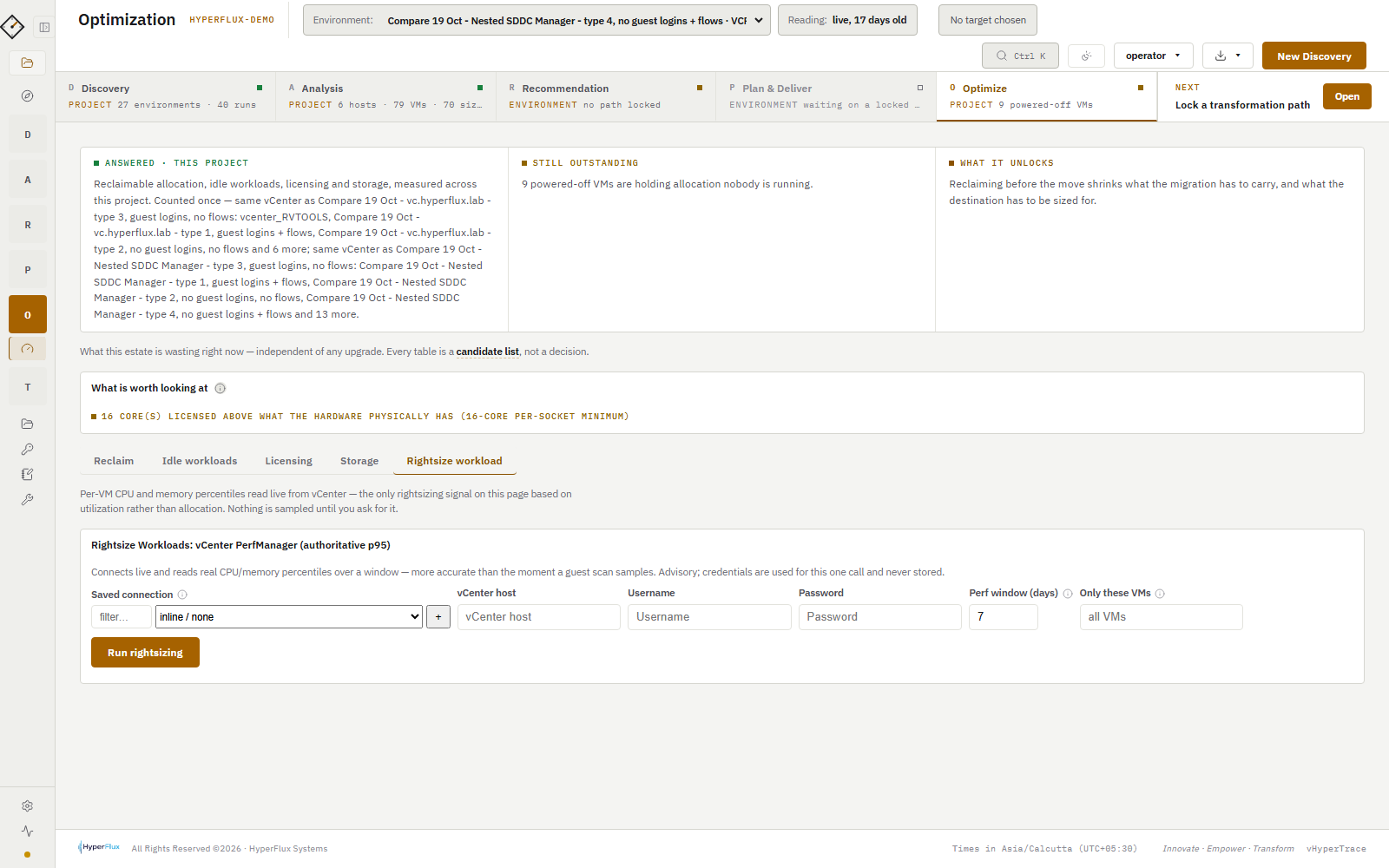
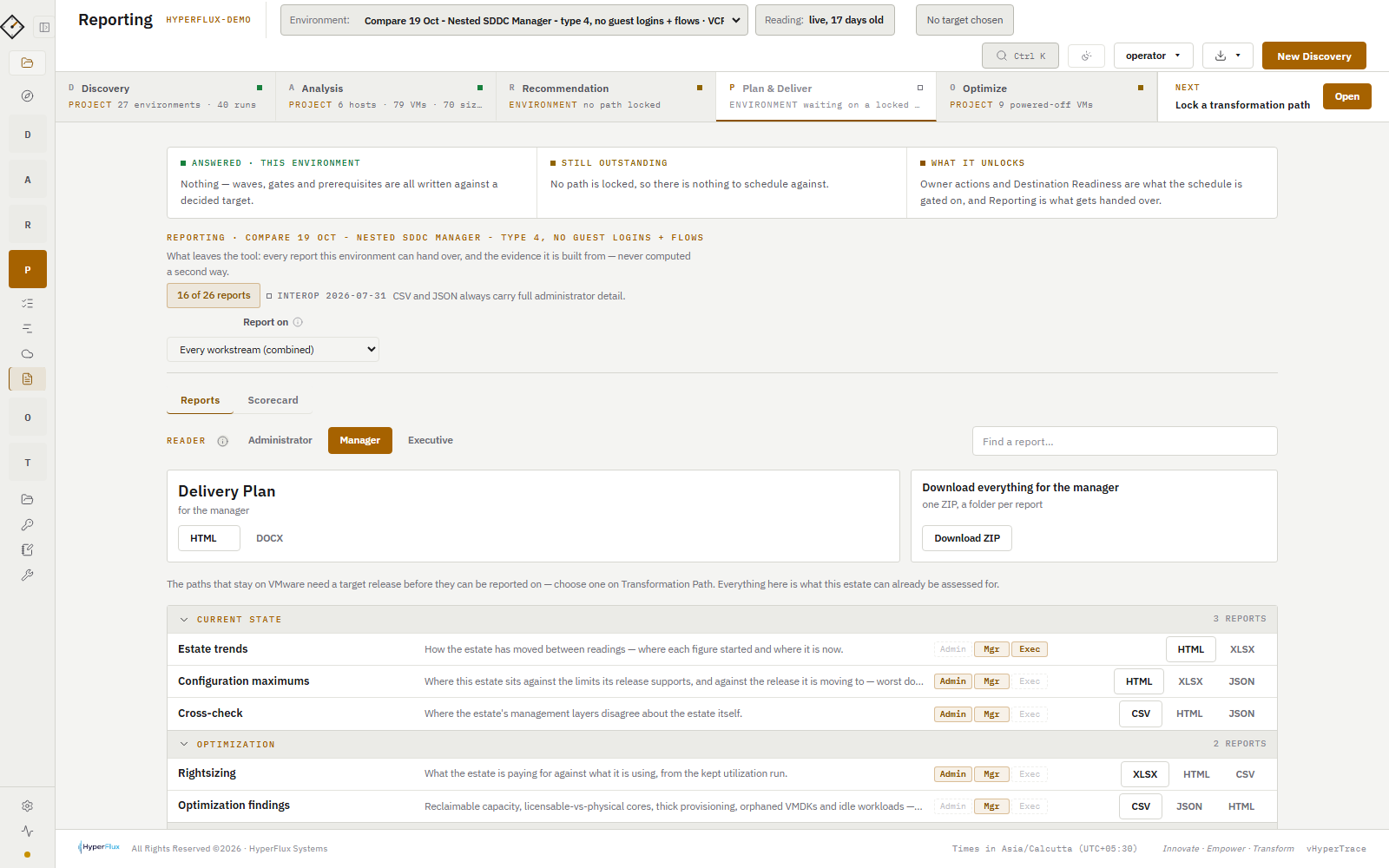
Each document is a summary. Underneath sits a library of shorter reports, each answering one question: how the estate changed between two readings, how close it is to its configuration limits, where vCenter and the other management tools disagree, and which capacity could be reclaimed. Choose a reader (administrator, manager or executive) and the Reporting page shows only the reports that person needs.

  • Executives get HTML, Word and PowerPoint. Managers also get Excel. Administrators also get CSV and JSON to load into their own tools.
  • Excel workbooks and CSV lists for the day-to-day work: the actions each owner must take, the migration waves, the VMs on each route.
  • Diagrams as PNG images, and copies of the exports with names and addresses replaced, for sharing outside your organisation.
  • At handover, one ZIP file holds everything in your branding, with a folder per report. None of it contains a price.
The Reporting page: a switch for administrator, manager and executive, one card per report with its formats, and a button to download everything as one ZIP file
Reporting
How it works

Five stages. Click one.

The method is DARP: Discovery, Analysis, Recommendation, Plan & Deliver, with Optimize beside them. Work is organised as Project → Environment → Run, and every reading is kept.

Reads
  • vCenter: hosts, clusters, VMs, datastores, networking, licences, certificates, alarms
  • NSX Manager, SDDC Manager and Aria Suite Lifecycle when you give it access
  • Windows and Linux guests through VMware Tools, or SSH / WinRM for the probes you choose
  • Server firmware out-of-band over Redfish
  • Flow records: NetFlow, IPFIX, sFlow, or an Aria Operations for Networks import
Produces
  • One reading of the estate, kept forever and comparable with the next
  • A file import path too: RVTools, ServiceNow CMDB, Device42, or the vHyperTrace template
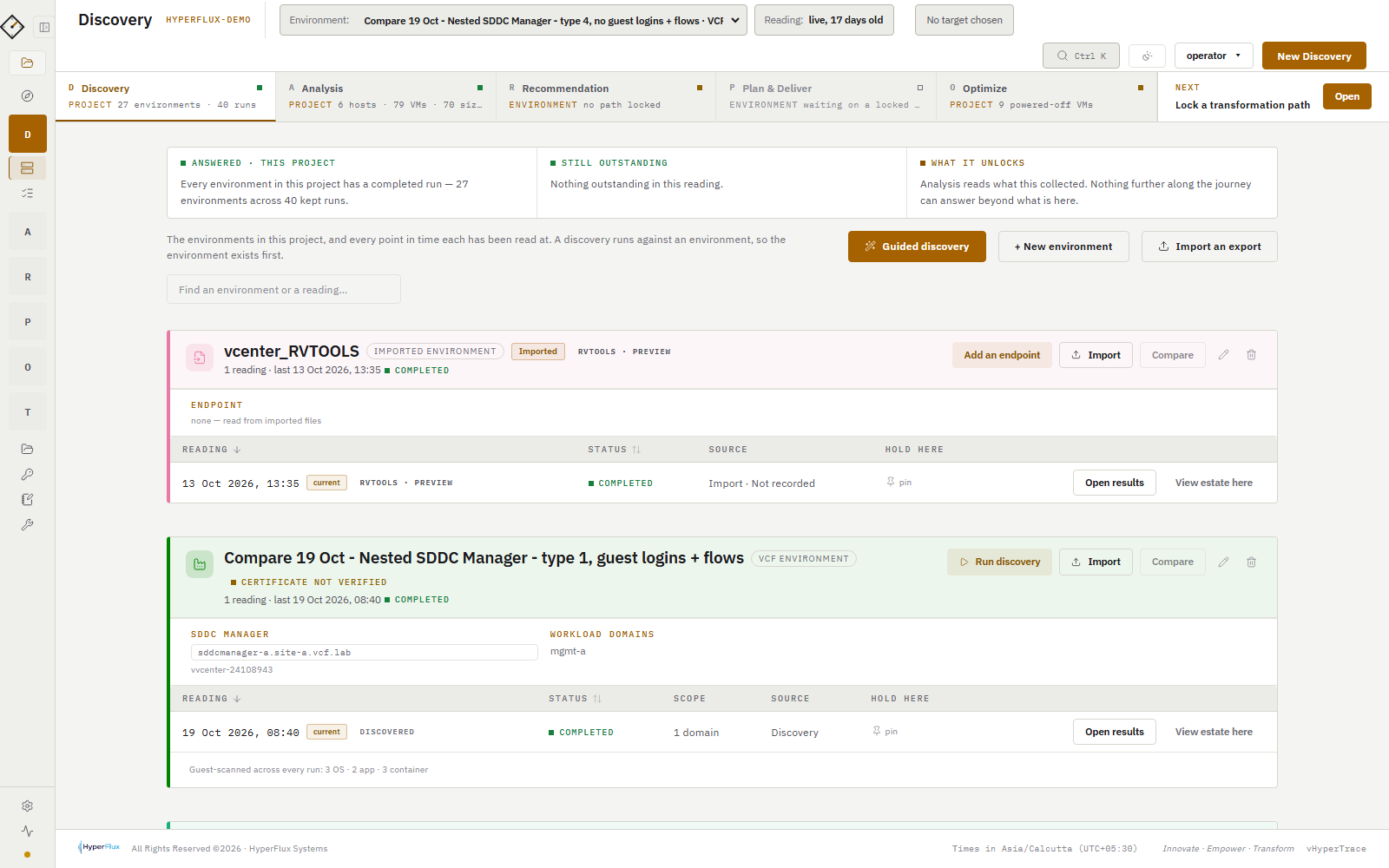
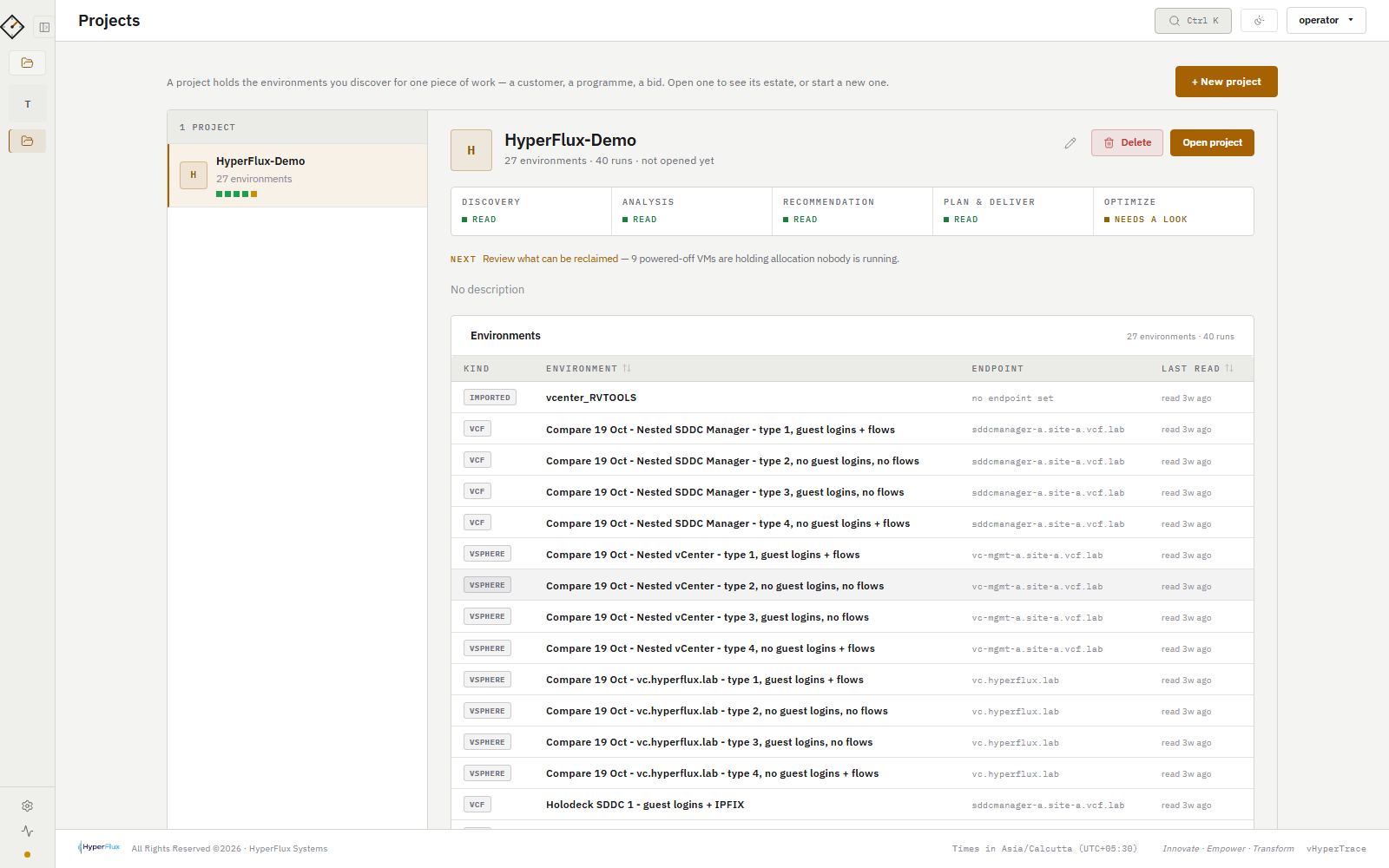
vHyperTrace: Discovery
Product tour

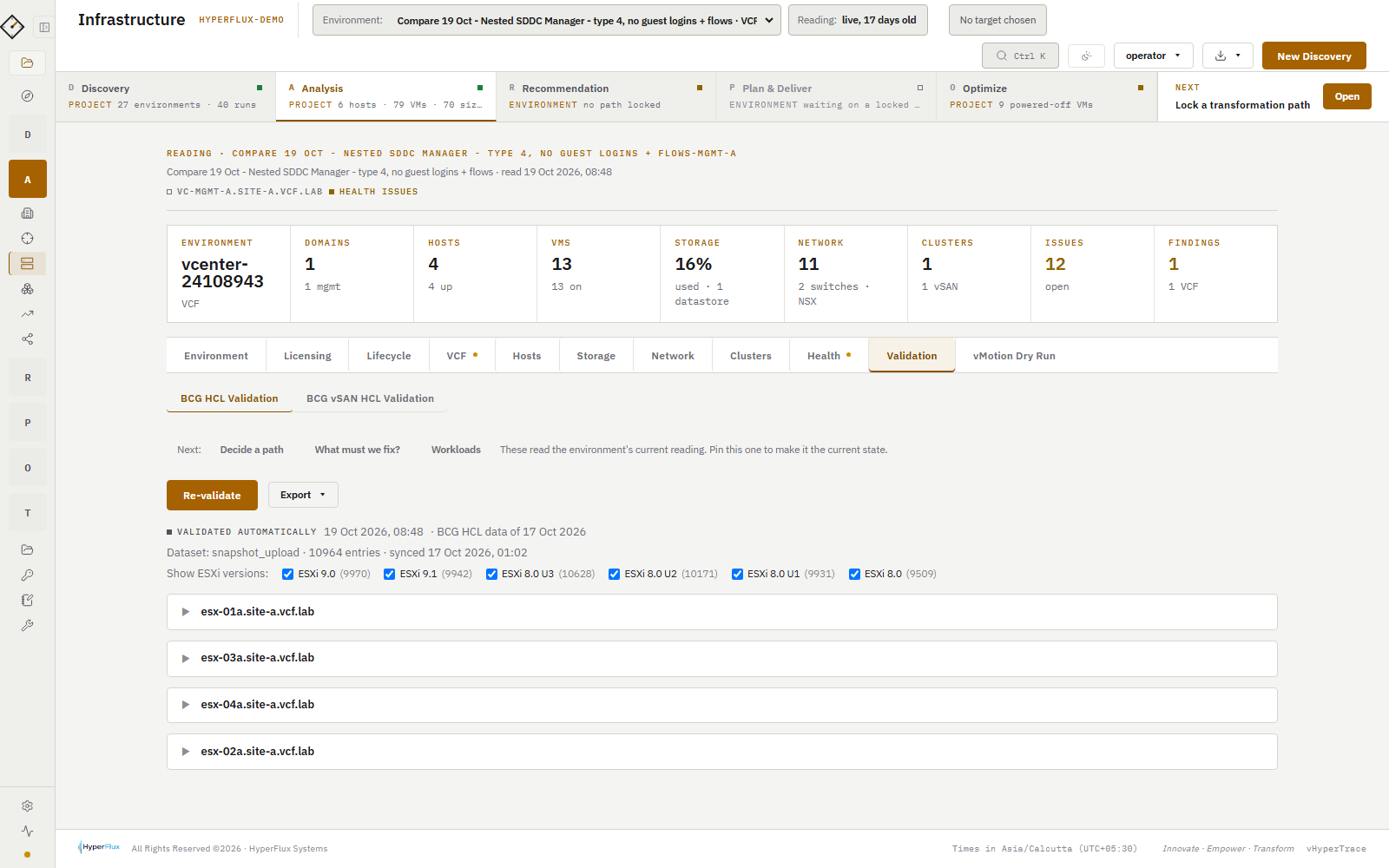
Ten screens from discovery to handover.

Start a project
Start a project
Where can we go?

Pick what you run and what you want.

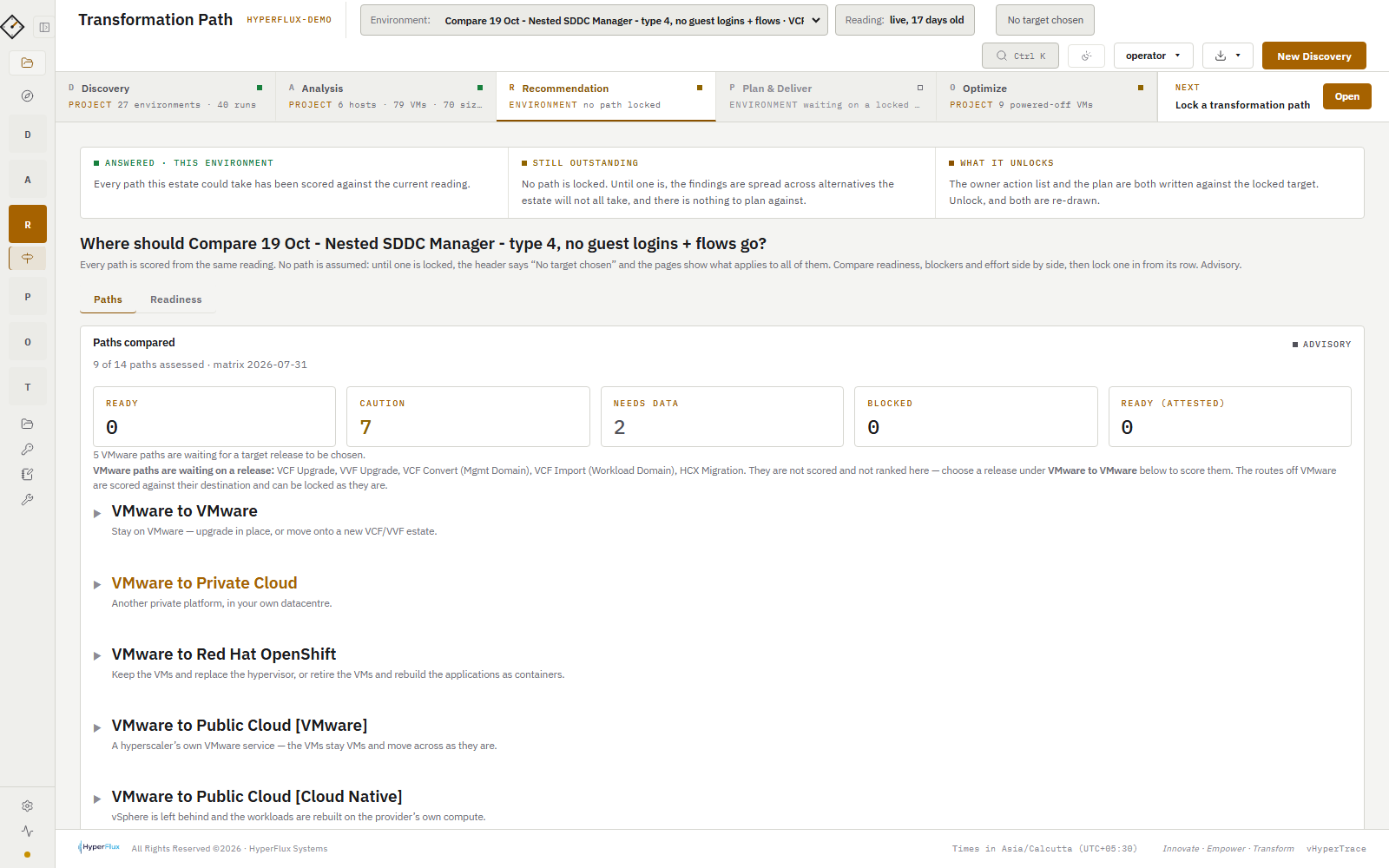
Each hyperscaler is really two destinations that disagree with each other, and OpenShift is two decisions in one. That is why vHyperTrace scores nine routes off VMware, not five.

All fourteen, at a glance
Stay on VMwareNew VMware estateAWSAzureGoogleNutanixOpenShift
VCF Upgrade
Stay on VMware · in place
  • Source release floor
  • Forward-only
  • Build gate
  • Six certificate checks
  • vSAN HCL
  • SDDC Manager pre-check
What you run today
What you want
Routes that apply

Fourteen workstreams in total: five that stay on VMware and nine that leave it. vHyperTrace scores every one of them against your reading; this picker only shows the ones that match your answer. The product reads; you decide.

How it is used

Purpose-built for the VMware decision.

vHyperTrace is not a monitoring tool and not a migration tool. It is the instrument you run before, during and after a modernization decision, so that every step rests on a reading of the estate rather than on memory.

Read the estate once, properly.

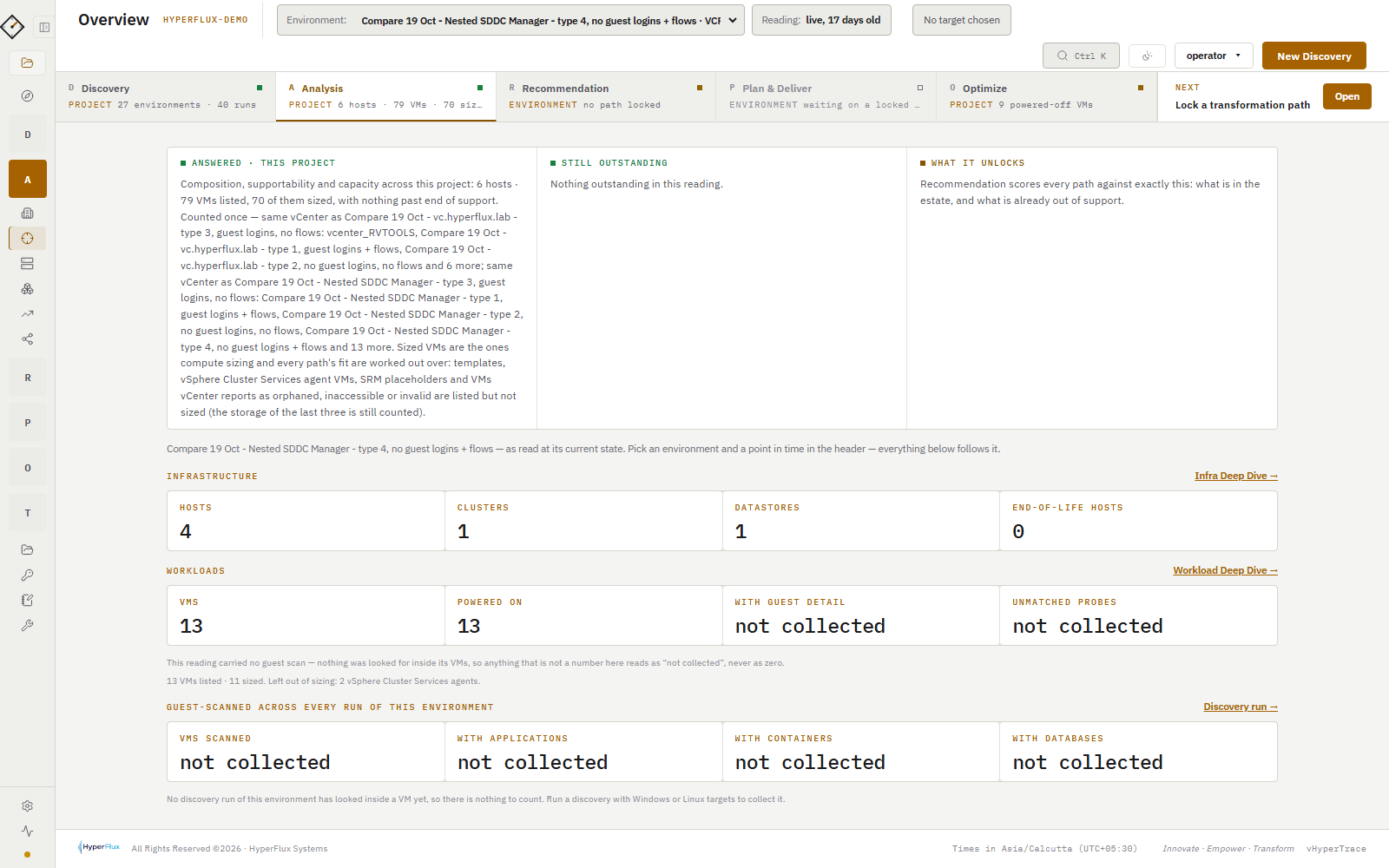
Deploy the OVA, point it at vCenter and, where you have them, NSX and SDDC Manager. One read-only discovery produces the inventory, the hardware and firmware verdicts, the dependency graph and the supportability picture. Everything the scope conversation needs, in hours.

  • Start from a file if credentials take time: RVTools, ServiceNow, Device42
  • Every answer the reading could not supply is marked, never guessed
  • All fourteen routes scored from the same reading
Why an export alone is not an assessment →
Overview of a discovered environment
Overview

Know what gates the upgrade before you book it.

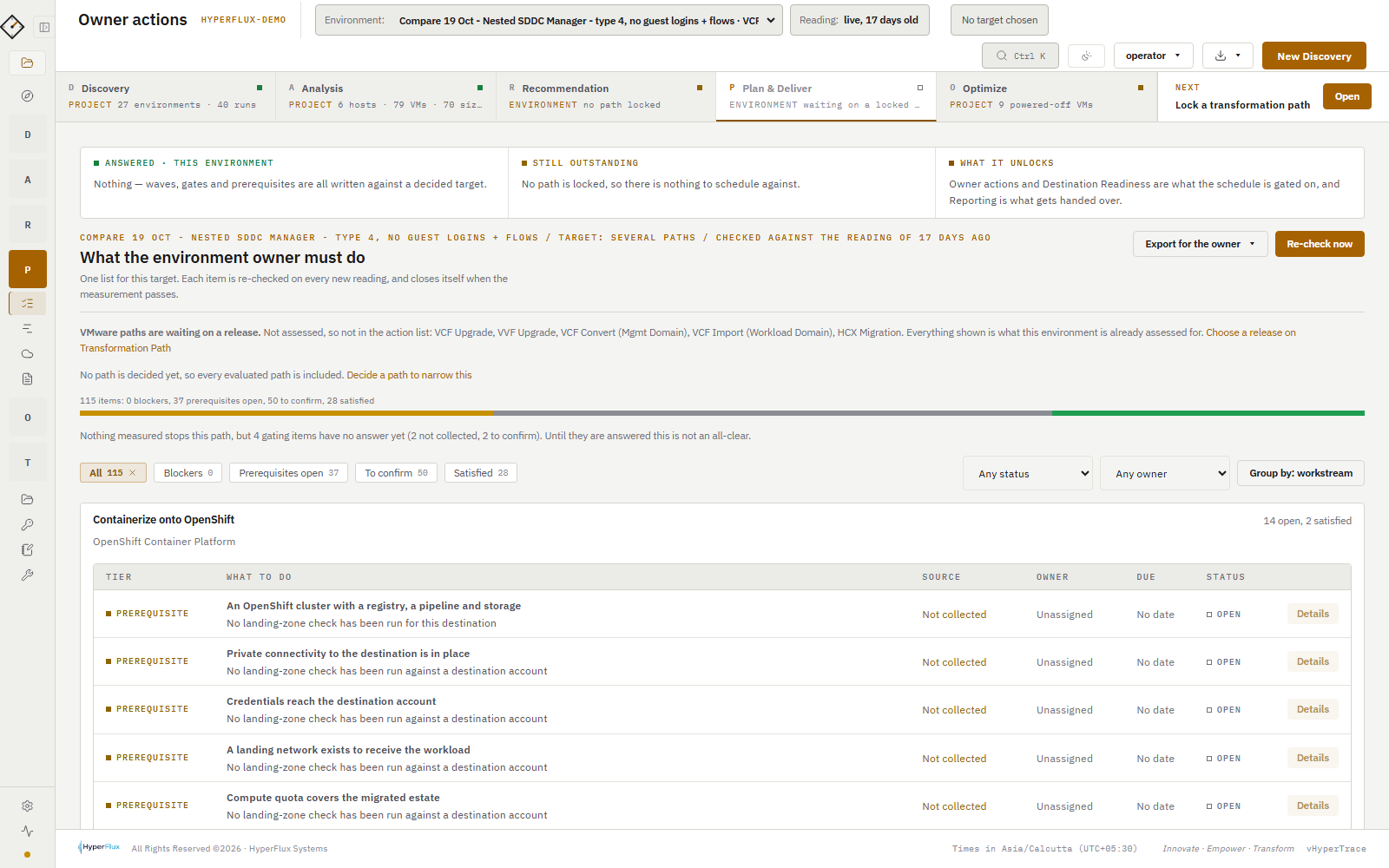
Owner actions is the one tracked list of what stops the chosen path, what the plan must carry, what needs confirming and what is already satisfied. Firmware comes from the hardware, certificates are checked six ways, and the build gate runs against the interoperability matrix.

  • Fix required, needs data, verify with vendor: three different owners
  • Attested facts stay labelled as attested in every report
  • Re-read before the window; Trends shows what moved
What actually gates a VCF upgrade →
Owner actions: blockers, prerequisites, to confirm, satisfied
Owner actions

Compare every route, then check the landing zone.

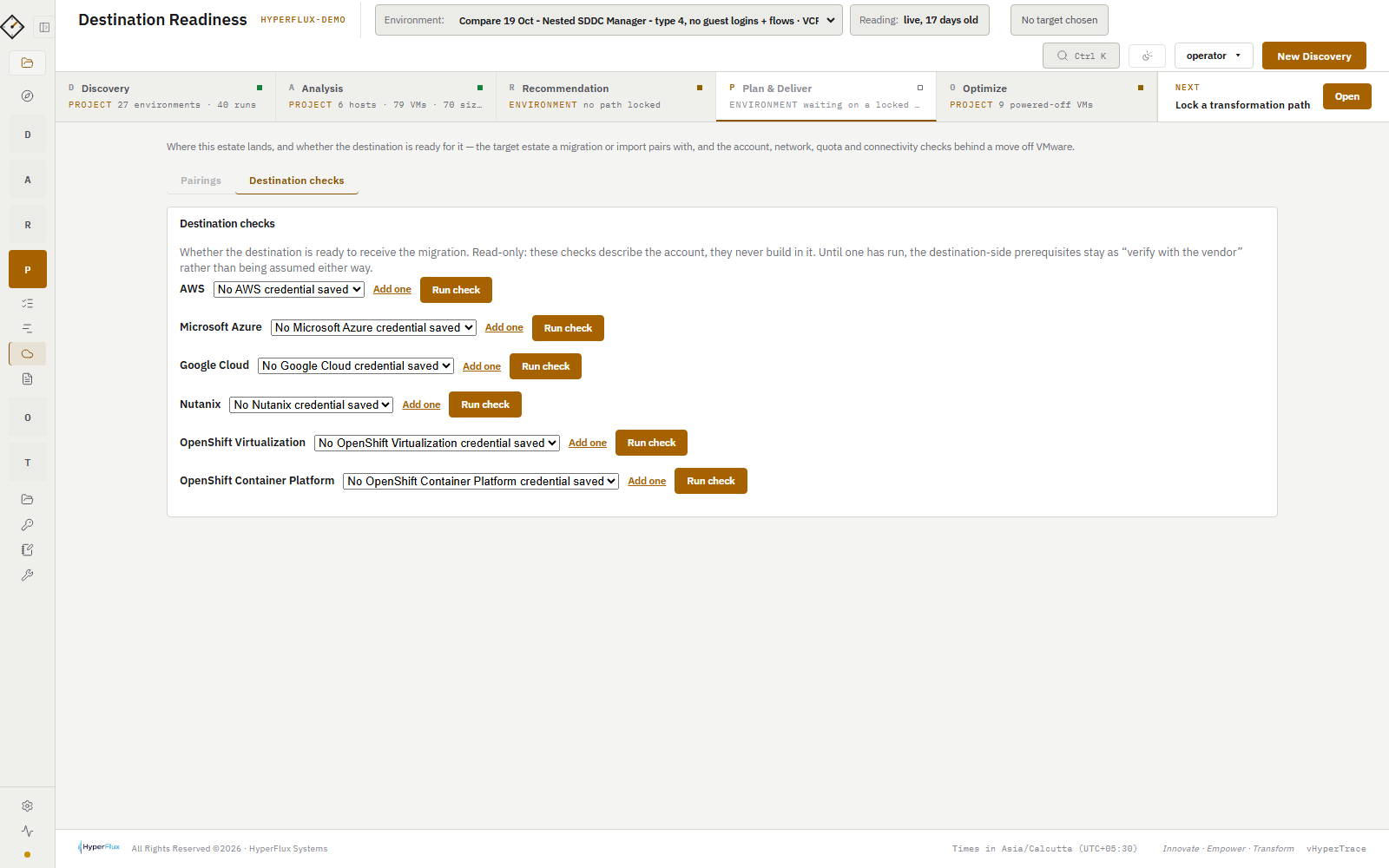
Transformation Path scores the environment against five ways to stay on VMware and nine routes off it, with native compute and the VMware-on-cloud services scored separately. Lock a path and Destination Readiness asks four read-only questions of the target: reachable, a network to land on, quota that covers the estate, private connectivity.

  • AWS, Azure, Google Cloud, Nutanix and OpenShift
  • Per-workload cloud fit with the reason behind each verdict
  • The decision is recorded with the evidence it was made on
How the destinations are scored →
Destination Readiness checks
Destination Readiness

Plan, hand over, and keep reading.

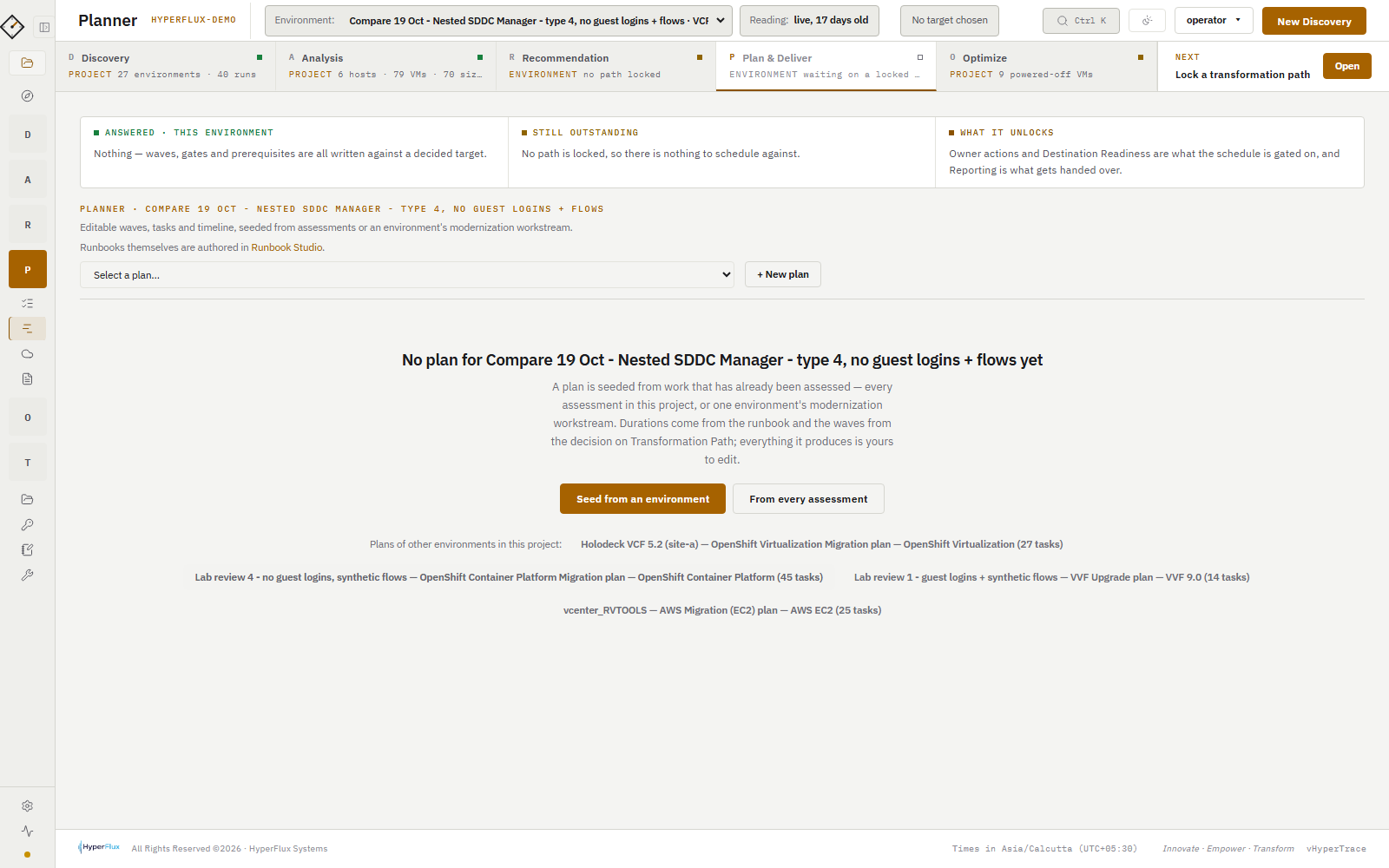
The locked decision seeds a schedule with streams, gates and a critical path, exportable to MS Project. Runbook Studio tailors the default runbook to your change process. Reporting writes the Executive Brief, the Delivery Plan and the Transformation Runbook, each for its reader, and the delivery kit bundles the handover.

  • Word, PowerPoint, Excel, HTML and MS Project XML; never PDF, never prices
  • Every document stamped with the datasets its verdicts used
  • Run again at each gate; the plan updates from the new reading
A week-long walkthrough →
Planner schedule with gates and critical path
Planner
Built for trust

Designed for the estates that cannot let a tool phone home.

Nothing leaves your network The vHyperTrace appliance sends read requests to vCenter, NSX Manager, SDDC Manager, Aria and the server BMCs over Redfish, and receives replies. Flow exporters push IPFIX, NetFlow and sFlow records to the flow collector inside the appliance and receive nothing back. It checks its licence inside your network. Nothing crosses the boundary to the internet: 0 bytes out. your network vCenter NSX Manager SDDC Manager Aria BMCs (Redfish) Flow exporters IPFIX · NetFlow · sFlow appliance read-only flow collector licence check signed file, offline 0 bytes out the internet
Read requests go out to your own platforms and replies come back. Flow exporters push IPFIX, NetFlow or sFlow records into the flow collector inside the appliance and get nothing back. The licence is checked inside the same boundary, so nothing crosses it.
A discovery run · anonymised
  1. connect vcenter --role read-only
  2. vcenter: connected with a read-only role
  3. counted 4 clusters, 48 hosts, 1,214 VMs, 36 datastores
  4. nsx manager: present, read segments, gateways, firewall policy
  5. sddc manager: present, read domains, clusters, bundles
  6. firmware: 48 BMCs read over Redfish
  7. guest scan: not requested, nothing looked for inside VMs
  8. flows: NetFlow / IPFIX ingested from the exporters you pointed at it
  9. not collected: 2 sources, kept as "not collected", never counted as zero
  10. licence: signed file verified offline
  11. egress: 0 bytes

Read-only

Every collector is a read. No VM moved, powered or reconfigured; no host put into maintenance. The one vCenter evaluation it can ask for, the vMotion dry run, is off unless you turn it on.

Agentless

Guest detail through VMware Tools guest operations, or over SSH and WinRM for the probes you choose. Nothing installed, nothing to uninstall.

No internet, no phone-home

Reference datasets are files you upload. No egress at all, and the licence is a signed file the appliance verifies offline.

Credentials stay yours

Stored inside your appliance, in your vSphere, with the smallest read-only roles each platform offers.

Details

The specifics, folded away.

What it connects to

vCenter Server (inventory, licences, certificates, policies, alarms); NSX Manager (segments, gateways, firewall policy, groups); SDDC Manager (domains, clusters, bundles, releases, prechecks, credential health); Aria Suite Lifecycle; Windows and Linux guests via VMware Tools or SSH/WinRM; server BMCs over Redfish; database and web services per workload; VMware Aria Operations for Networks flow import; and, for Destination Readiness, AWS, Azure, Google Cloud, Nutanix Prism Central and Red Hat OpenShift with a read-only credential you keep.

Switches and routers can also send NetFlow v5/v9, IPFIX and sFlow v5 to the appliance. Nothing listens until you turn the collector on.

Reading an estate from a file

Five sources: a vHyperTrace run export, RVTools, the vHyperTrace import template, ServiceNow CMDB and Device42. A file carries less than a discovery reads, and every page says which answers a file could not supply rather than guessing them. A missing fact is never a pass, a failure or a zero.

Exports and reports

Every table and diagram exports. Reporting collects the documents in one place in three voices: administrator, manager, executive. Formats: HTML, Word, PowerPoint, Excel, CSV, JSON, PNG, a ZIP delivery kit, and MS Project XML for the plan. There is no PDF export and no price anywhere in the product.

Appliance and sizing

One OVA on Ubuntu 24.04, deployed into your vSphere. Sizes from Small (up to 500 VMs) to XL (5,000 VMs and more). Local administrator and operator accounts; API keys for the query API. Backup and restore from the appliance console. Upgrades are back up, deploy the new OVA, restore.

Licensing

A signed licence file bound to one appliance, with fixed start and end dates. The appliance can only verify, never create, and verifies offline. The licensed unit is a VM cap; each VM is counted once, ever, in a tamper-evident ledger. When a licence expires there is a read-only grace period, so what you collected stays readable and every report can still be produced.

Security posture

Nothing leaves your network unless you point the appliance at something outside it. The support bundle and the licence evidence file are files on the appliance you copy off yourself; the evidence carries counts, never names, addresses or serial numbers. Obfuscated exports replace names, FQDNs and IPs when a report has to leave the building.

Available now

See vHyperTrace on your own estate.

vHyperTrace is available now. Licences are sold per appliance, and a short trial is available on request. Request a demo and we will set both up.

Newsletter

New posts and vHyperTrace news by email. A few a month at most; unsubscribe any time.